



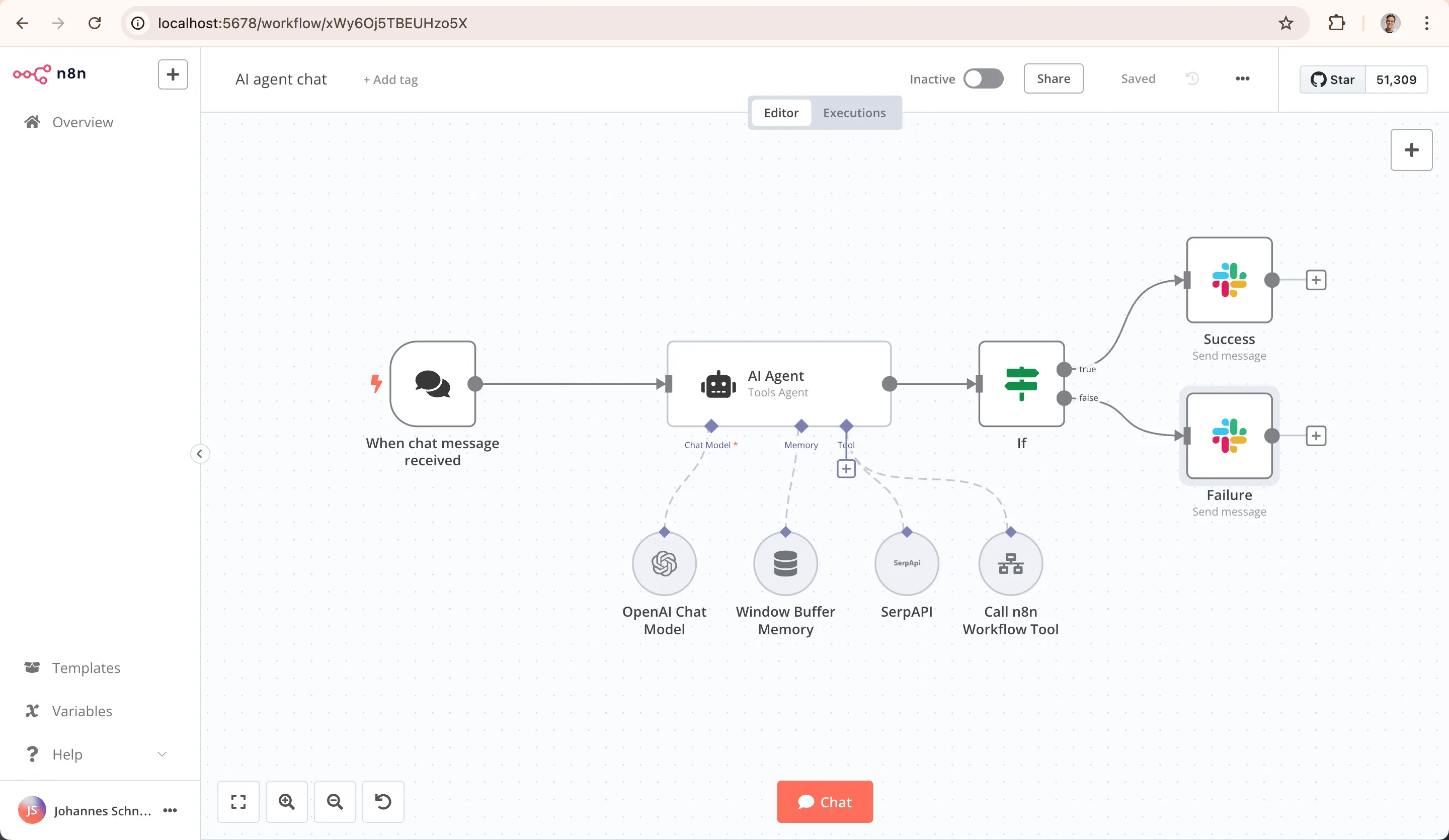
I've used n8n across dozens of projects, and it gets a lot right. Its open-source model, visual workflow builder, and self-hosting flexibility are real strengths.
But once I started building AI agents in n8n, the cracks showed quickly: chaining 15+ nodes just to get a basic reasoning loop? It felt like running an agentic AI Frankenstein. Debugging JSON between nodes meant staring at raw payloads for hours, while self-hosting consumed more operational time than the agents saved.
And it’s not just me: G2 reviewers and the n8n community forum echo the same friction points, especially around scalability under complex workloads.
The deeper issue is that n8n treats AI as a node type rather than a core architecture principle. That works for linear automations but it breaks down when agents need memory, multi-step reasoning, or AI orchestration across tasks.
The trouble started when I tried to build AI agents. One customer onboarding flow—reading a form, enriching data, selecting a track, drafting an email, and flagging accounts for sales—took 22 nodes, three code blocks, and a routing layer that broke whenever I added a condition.
Self-hosting compounded these issues because I spent more time on infrastructure than on the agents themselves.
So I went looking for the best alternatives to n8n. After extensive testing, I identified the following tools that address its gaps from different angles.
The following criteria were used to evaluate each n8n alternative:
- AI agent architecture: Native memory, reasoning, and orchestration scored higher than AI bolted onto workflow nodes
- Debugging experience: Consolidated error tracing outweighed node-by-node JSON inspection
- Self-hosting vs. managed: Both options were evaluated; hidden infrastructure costs were factored into scoring
- Pricing at scale: Execution-based billing was stress-tested against per-user and credit-based models
- Integration depth: API flexibility, webhook support, and pre-built connector libraries were compared
- Open-source availability: MIT or fair-code licensing, community activity, and self-hosting ease were assessed
- Time to first workflow: Platforms where a working automation shipped in under an hour scored highest
Platform
Botpress
Botpress is an AI agent platform for building, deploying, and managing autonomous agents across chat and voice channels.
Botpress solves one of n8n’s biggest pain points: debugging. n8n forces teams to inspect nodes one at a time, clicking through raw JSON to find where a multi-node workflow broke. Botpress agents reason through tasks inside autonomous nodes. Debugging focuses on the agent's logic and knowledge base—not node #14 in a graph.
Botpress also offers much deeper AI capabilities. n8n treats language models as isolated steps that cannot hold memory, self-correct, or delegate. Botpress was built around agent architecture: memory, RAG, goal tracking, and multi-turn context are all native.
Using Botpress, I built a customer service chatbot that classified incoming requests, searched a knowledge base for relevant articles, drafted responses, and escalated unresolved issues to a human. The agent remembered previous interactions with the same user and adjusted tone based on their sentiment.
Total build time was about three hours, a stark contrast to the equivalent n8n setup, which would have required 20+ nodes and hours of manual wiring for every escalation path.
.webp)
Botpress ships with a visual agent builder for non-technical teams and an Agent Development Kit (ADK) for developers who prefer building in TypeScript. The ADK includes a CLI, hot reloading, and type-safe APIs, so teams coming from n8n’s code-heavy workflows get the same level of control inside an agent-native architecture. Both paths deploy to web chat, WhatsApp, Slack, Messenger, and custom channels from a single configuration.
Ratings G2: 4.5/5
TL;DR: n8n vs Botpress
Botpress agents reason, hold memory, and self-correct natively, while n8n requires chaining dozens of nodes with manual JSON debugging to approximate the same behavior.
Botpress Pros
- Agent architecture supports memory, reasoning, and self-correction
- Multi-channel deployment from a single agent configuration
- LLM-agnostic: supports OpenAI, Anthropic, and custom models
- SOC 2 compliant, with GDPR and HIPAA support on Enterprise plans
Botpress Cons
- Complex agent behaviors require developer configuration
Botpress Pricing
Make
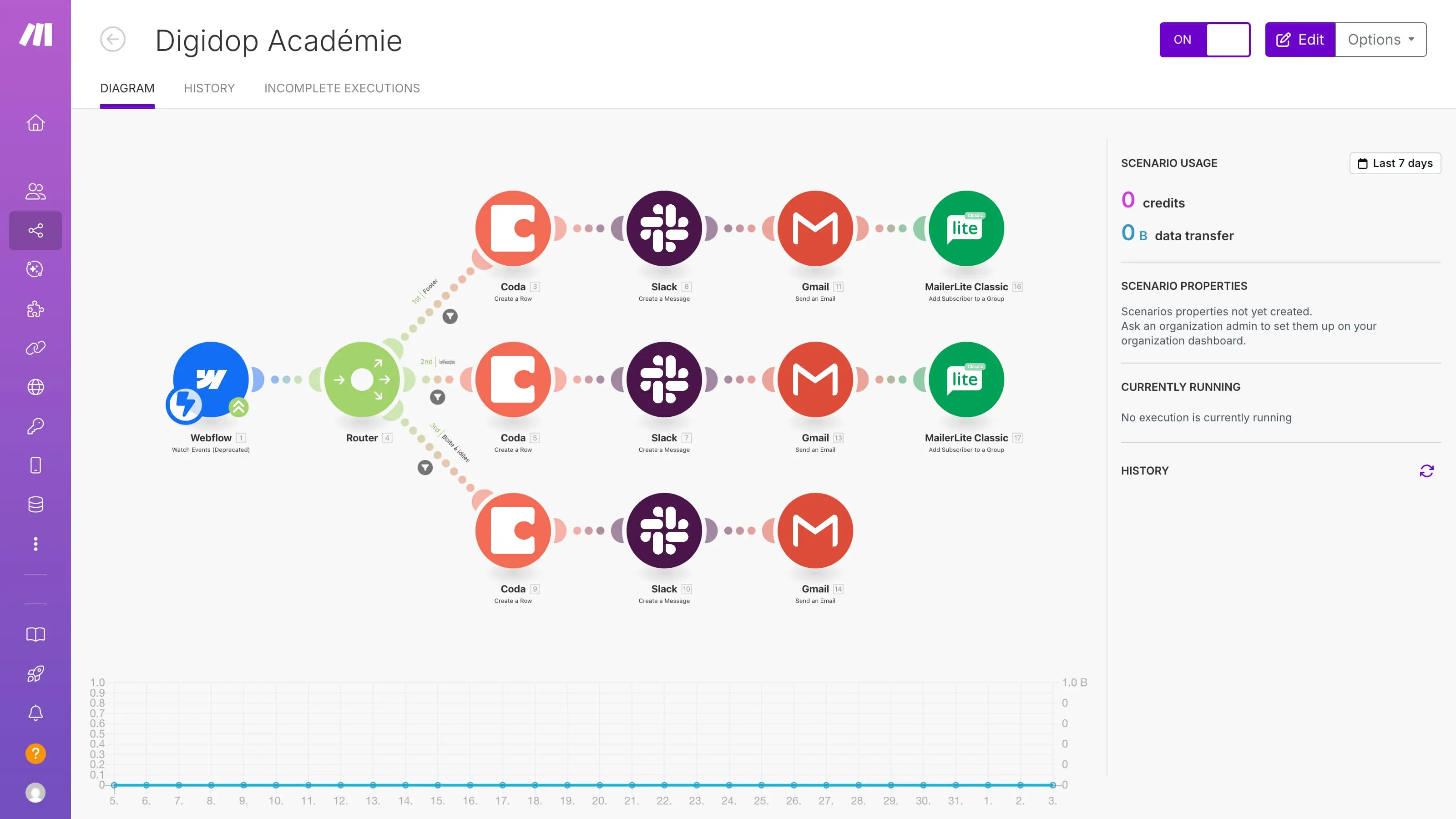
Make is a workflow automation platform with a visual scenario builder and 3,000+ app integrations.
Make’s debugging experience justified the switch on its own as I rebuilt my broken 22-node n8n onboarding workflow in a couple of hours. Make's scenario builder renders every execution path visually, color-coded by success or failure. Isolating a data mapping error took seconds instead of the node-by-node inspection n8n required.
Make supports AI inside individual workflow steps, like generating text or classifying inputs, but each AI call is a one-shot action. It cannot remember what happened in the previous step or decide what to do next based on the result.
Ratings G2: 4.6/5
TL;DR: n8n vs Make
n8n is best for developers who need self-hosting and custom code nodes. Make offers teams visual debugging and faster scenario building without managing infrastructure.
Make Pros
- Real-time execution logs show pass/fail at every node
- Scenario templates cover common workflows out of the box
Make Cons
- No self-hosting
- Operations accounting gets confusing with polling-heavy workflows
Make Pricing
Zapier
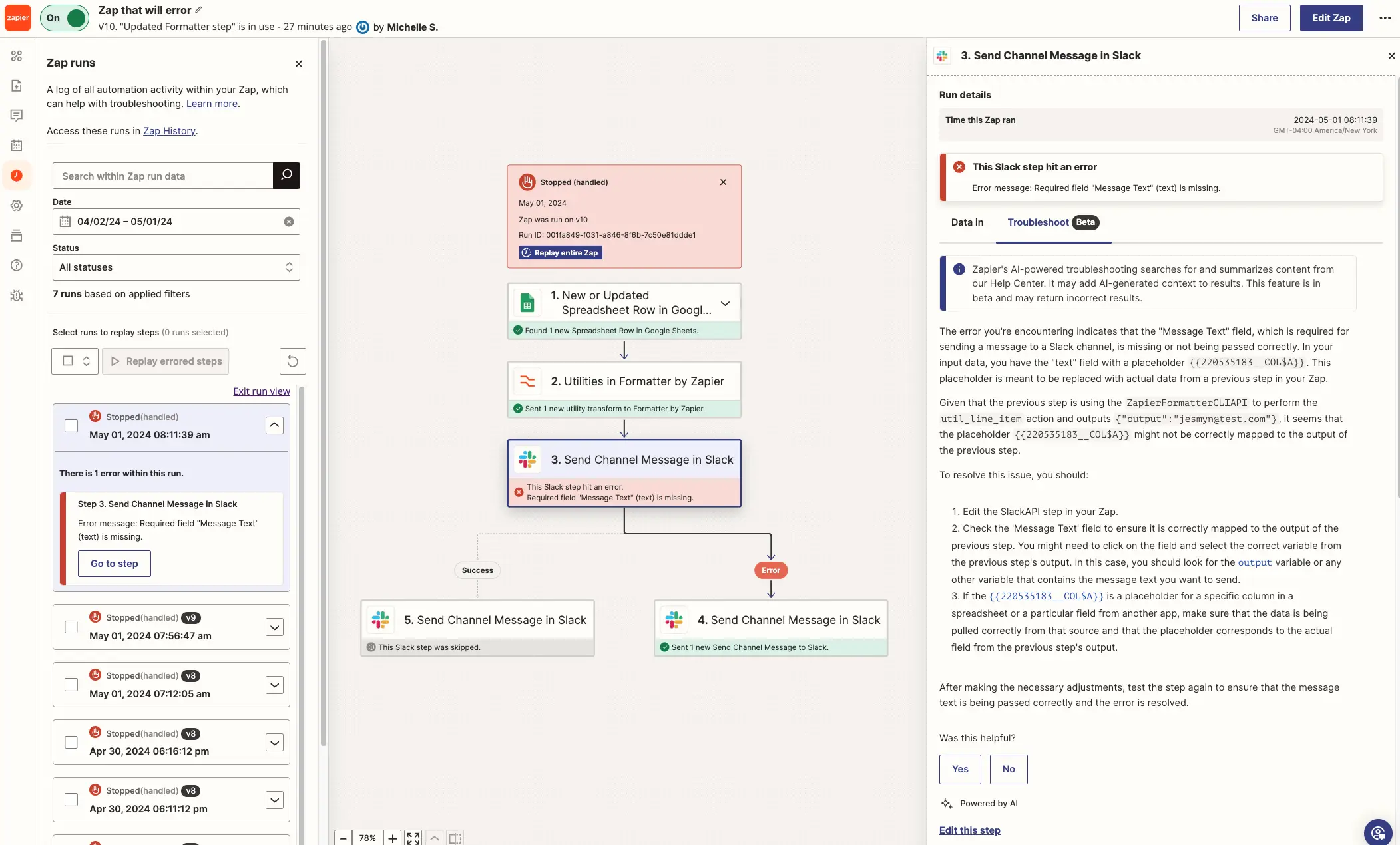
Zapier is a no-code workflow automation platform connecting 8,000+ apps through a trigger-action interface. Its simple onboarding makes it attractive to non-technical teams.
I built a form-to-email-to-spreadsheet Zap in an hour, and it worked well. Zapier Agents, the AI layer, handles multi-step AI tasks inside Zaps, such as generating a summary, classifying an input, or drafting a short response.
I pushed the Zap further with a multi-step support agent and hit the ceiling fast. There was no memory between steps, no reasoning loops, and no fallback logic.
Ratings G2: 4.5/5
TL;DR: n8n vs Zapier
Zapier connects 8,000+ apps and deploys simple automations with minimal setup, but n8n handles branching logic and custom code that Zapier's trigger-action model cannot support.
Zapier Pros
- Vast integration library with 8,000+ apps
- Active template marketplace reduces configuration time significantly
Zapier Cons
- Zapier’s AI stops at single-step tasks, not agent workflows
- Task-based billing scales poorly for high-volume automations
- No self-hosting, code nodes, or infrastructure-level control
Zapier Pricing
Activepieces
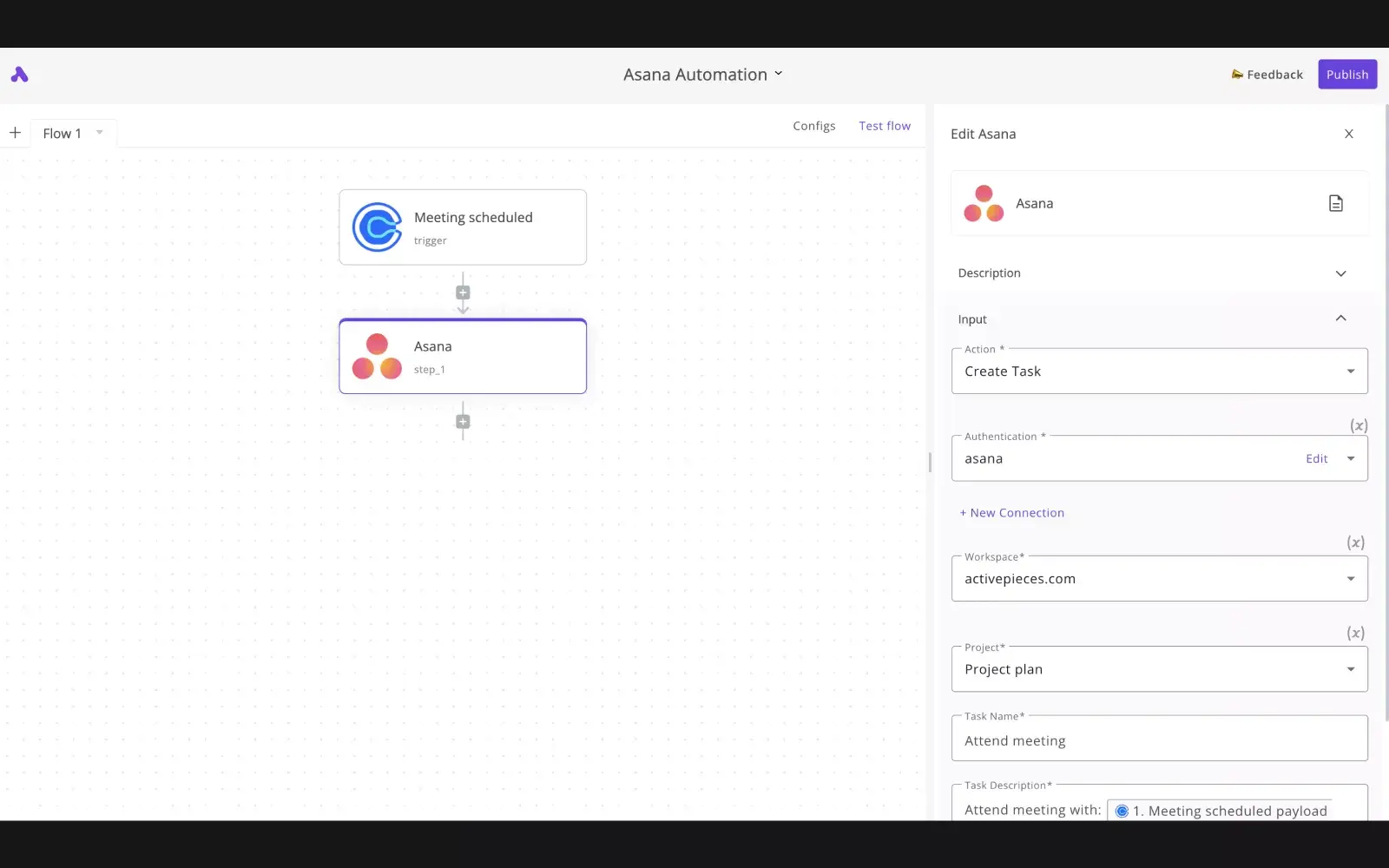
Activepieces is an open-source workflow automation platform with an MIT license and the option to self-host.
Activepieces is more attractive on pricing as it doesn’t charge per task or per execution and workflow runs are unlimited on every plan.
Activepieces also stands out for its support for AI agents. It ships native AI steps for text generation, classification, and extraction, plus MCP server support for connecting agents to external tools.
It only took me an hour to build a ticket classification agent that read incoming emails, categorized urgency, and drafted reply templates. No code blocks needed.
Ratings G2: 4.8/5
TL;DR: n8n vs Activepieces
Both platforms are open-source and self-hostable with visual builders, but n8n charges per execution while Activepieces charges per user with unlimited tasks.
Activepieces Pros
- Unlimited task execution on all plans removes volume anxiety
- Native AI agent steps work without code blocks or API wiring
Activepieces Cons
- Fewer pre-built integrations than n8n
- Documentation gaps
Activepieces Pricing
Relevance AI
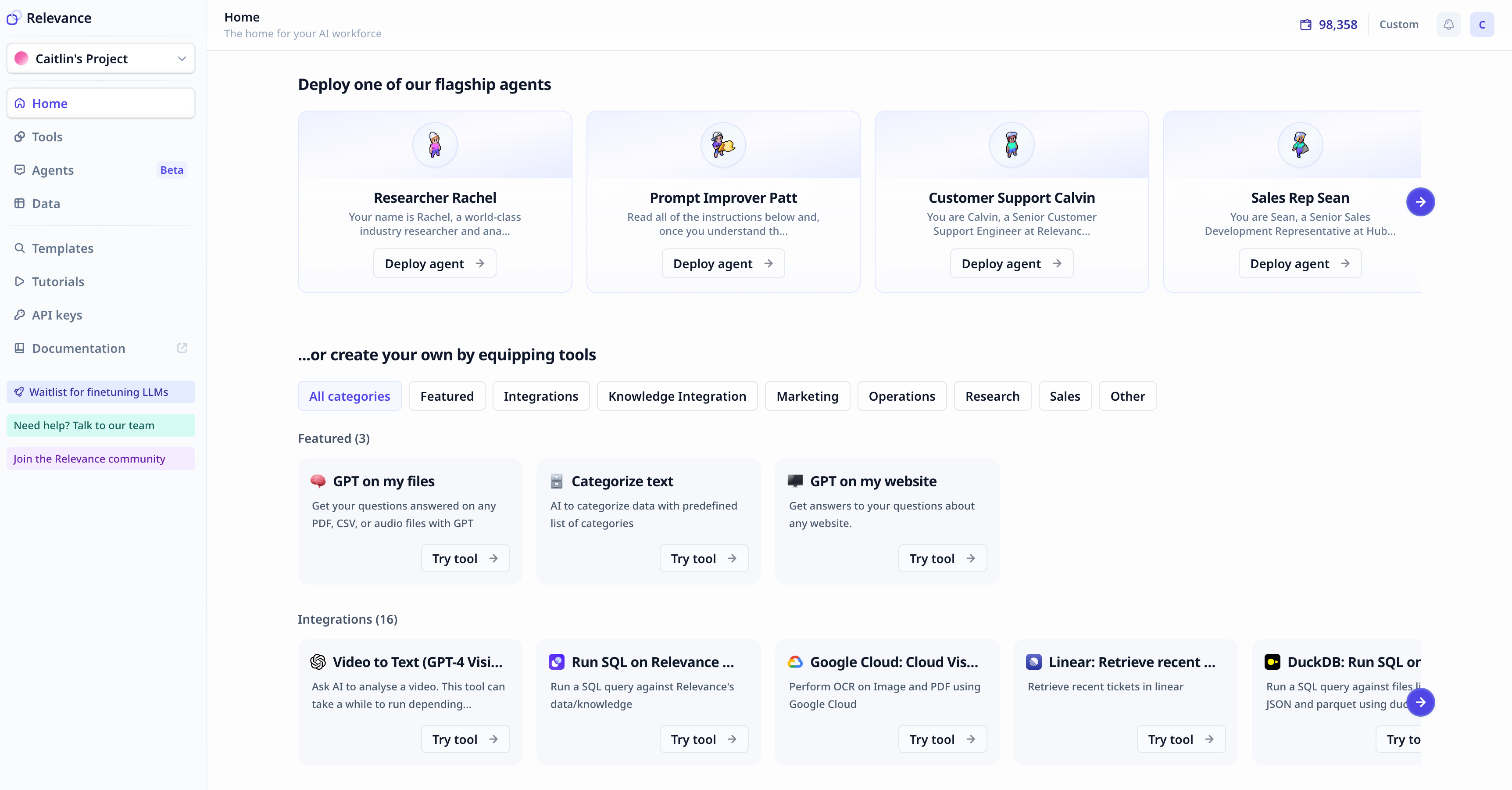
Relevance AI is a multi-agent orchestration platform for internal task automation. It builds systems where specialized AI agents divide up backend processes and pass results to one another.
I tested it on a sales research pipeline: one agent scraped company data, a second scored the lead, and a third drafted the outreach email. The whole chain ran without manual handoffs and the visual flow builder made agent coordination visible in a way that neither n8n’s node chains nor code-based agent frameworks could match.
Each agent maintained its own tools and memory through a multi-agent framework designed for task delegation.
Ratings G2: 4.3/5
TL;DR: n8n vs Relevance AI
A failed node stops an entire n8n workflow. However, in Relevance AI, a failed agent gets retried or compensated by another agent in the chain, so the final output still ships even when one step breaks.
Relevance AI Pros
- Supports multi-agent workflows where agents delegate tasks
- Visual builder maps multi-agent coordination without code
Relevance AI Cons
- Smaller integration library than workflow-first platforms
- Multi-agent complexity creates a steeper initial learning curve
Relevance AI Pricing Snapshot
Lindy.ai
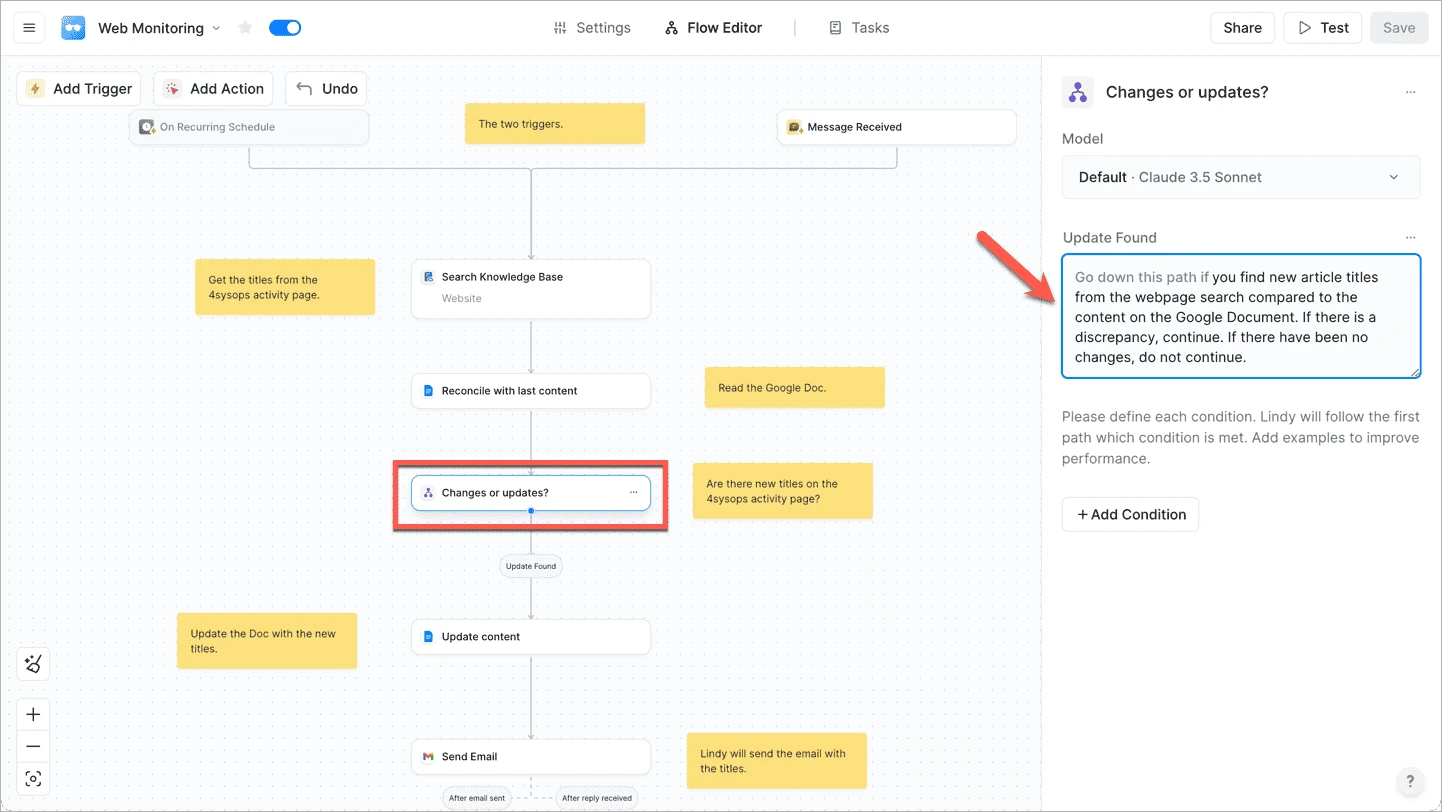
Lindy.ai is a no-code AI workflow automation platform. Agents are created by describing tasks in plain English, not by wiring nodes or writing code.
I typed "pull LinkedIn profiles and recent company news for everyone on my calendar, then drop a summary into a Google Doc 30 minutes before each meeting" and had a working agent running within an hour. Over the next week, it prepped 11 meetings without issue, and its 5,000+ integrations connected it to Gmail, Google Calendar, and Docs without manual OAuth setup.
Ratings G2: 4.9/5
TL;DR: n8n vs Lindy.ai
n8n gives developers code-level control and self-hosting flexibility, while Lindy.ai skips the builder entirely and delivers a running agent from a plain English prompt in minutes.
Lindy.ai Pros
- Meeting prep, email triage, and research agents work immediately
- 5,000+ integrations connect to most common productivity tools
Lindy.ai Cons
- No visual builder
- Agent behavior cannot be fine-tuned beyond surface-level instructions
- No code access
- No self-hosting capability available
Lindy.ai Pricing
Pipedream
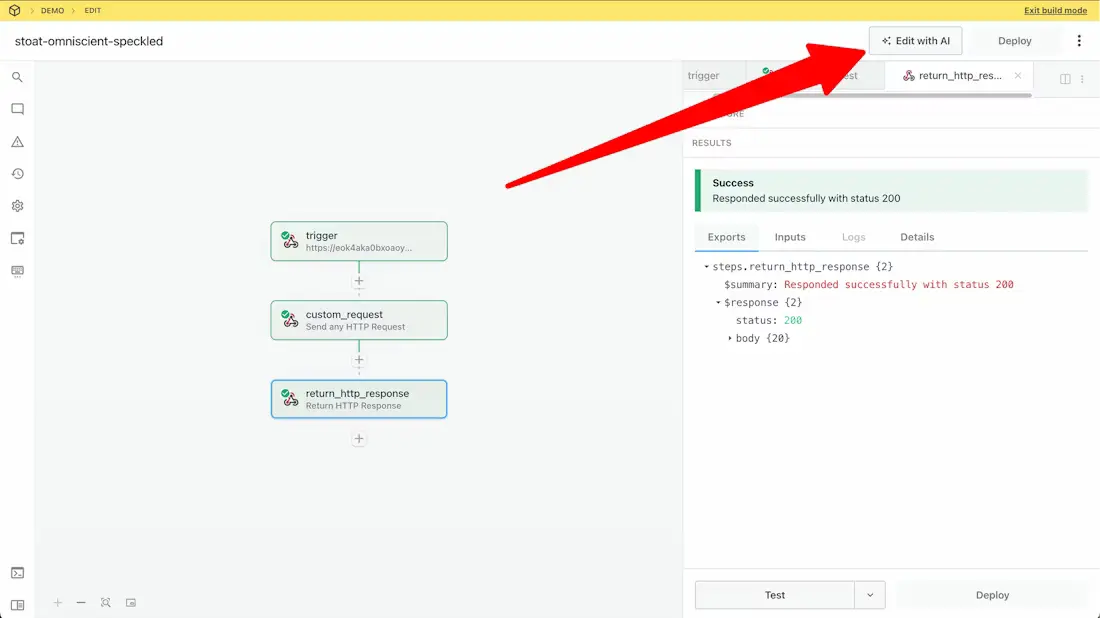
Pipedream is a developer-first automation platform with a serverless execution environment. Workflows run custom code in Python, Node.js, Go, or Bash without any infrastructure management.
I rebuilt an n8n data enrichment workflow in Pipedream using Python, and the difference was immediate. Instead of chaining code nodes with JSON handoffs between them, I wrote a single Python step that called three APIs, transformed the data, and returned a structured output. Debugging happened in a real code editor with stack traces, not by clicking through node outputs one at a time.
The 2,700+ integrated apps with 10,000+ pre-built tools covered every connection I needed. For developers who outgrew n8n's code nodes but still want a visual scaffold around their logic, Pipedream sits in the right middle ground.
Ratings G2: 4.6/5
TL;DR: n8n vs Pipedream
Both serve developers, but Pipedream's serverless runtime handles scaling, retries, and concurrency without the infrastructure provisioning that n8n's self-hosted model demands.
Pipedream Pros
- Serverless execution in Python, Node.js, Go, and Bash natively
- 2,700+ apps with 10,000+ pre-built API tools reduce integration time
Pipedream Cons
- Non-technical users will struggle without coding experience
- No native AI agent framework, memory, or orchestration layer
- Free tier caps at 100 daily invocations, limiting production testing
Pipedream Pricing
Microsoft Power Automate
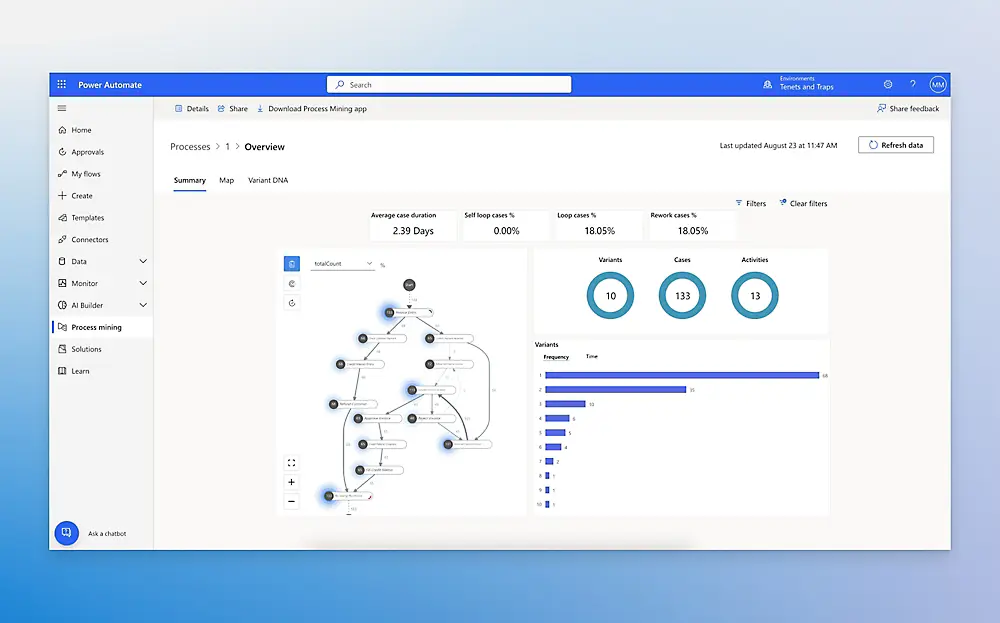
Microsoft Power Automate is a workflow automation platform built into the Microsoft 365 ecosystem. For organizations already running Outlook, Teams, SharePoint, and Dynamics, the integrations are native and require almost no configuration.
I tested Power Automate on an internal approval workflow: a form submission in SharePoint triggered a Teams notification, routed the request to a manager for approval, and logged the result in an Excel tracker.
A pre-built template from the Power Automate gallery made the process straightforward. The Copilot feature let me describe a workflow in plain English and generated a draft flow, which needed some manual cleanup but saved time on the initial structure.
Outside the Microsoft ecosystem, the experience deteriorated. Connecting to non-Microsoft tools required premium connectors that added cost and complexity quickly.
Ratings G2: 4.4/5
TL;DR: n8n vs Microsoft Power Automate
Inside the Microsoft 365 stack, Power Automate connects natively without third-party nodes. Outside that stack, n8n is more flexible, cheaper, and platform-agnostic.
Microsoft Power Automate Pros
- Native Microsoft 365 integration requires zero third-party connectors
- Pre-built template library covers most common enterprise patterns
Microsoft Power Automate Cons
- Premium connectors for non-Microsoft apps add significant cost
- No self-hosting; all workflows run in Microsoft's cloud environment
- Copilot drafts workflows but cannot build or manage autonomous agents
Microsoft Power Automate Pricing
Voiceflow
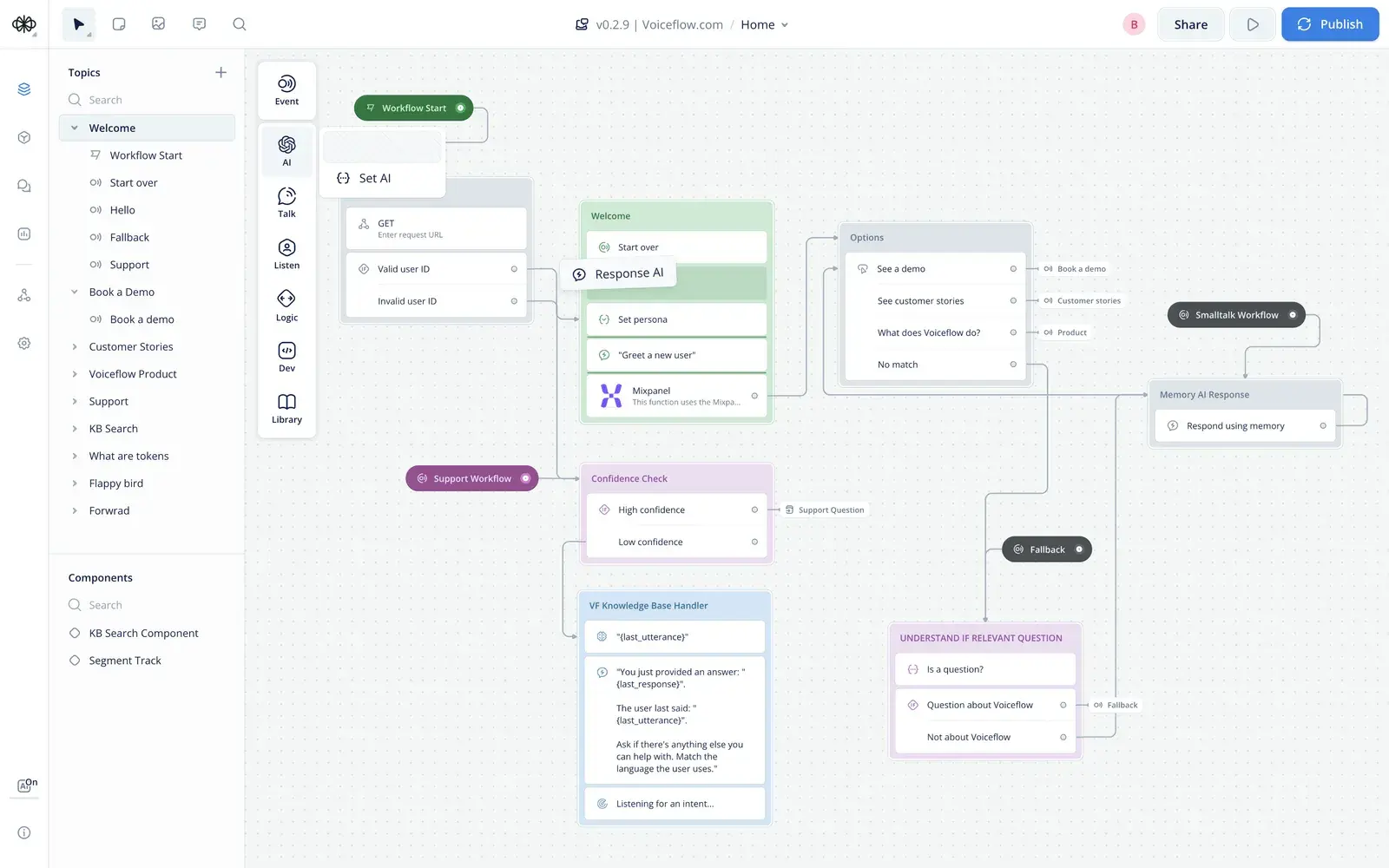
Voiceflow is a conversational AI design platform. It builds chat and voice agents through a visual conversation designer that maps dialogue flows, manages intents, and handles multi-turn context natively.
I used Voiceflow to prototype a customer onboarding agent that walked new users through account setup, answered questions from a knowledge base, and handed off to a human when the user requested billing help. The prototype was testable in under 90 minutes. Context carried across turns without manual state management.
I hit a wall when I tried to trigger downstream actions. Creating a CRM record or updating a spreadsheet requires external API calls that Voiceflow does not manage natively. The platform owns the conversation. Everything beyond the conversation boundary becomes your responsibility.
Ratings G2: 4.6/5
TL;DR: n8n vs Voiceflow
n8n routes data between backend systems while Voiceflow routes conversations between users and agents, and teams that need both typically run both.
Voiceflow Pros
- Quick conversation prototyping from concept to testable agent
- Multi-turn dialogue context is managed natively without custom logic
Voiceflow Cons
- No backend workflow automation or app-to-app data routing capability
- Downstream actions like CRM updates require external API calls
- Less customizable than Botpress for advanced agent logic and deployment
Voiceflow Pricing
Voiceflow does not display its pricing tiers on its website.